FaceMagic: AI Videos & Photos
- 2.1
- Rating
- 1.00M
- Installs
- Free
- Price

 Analysis by App-foxy
I approached FaceMagic: AI Videos & Photos as a quick entertainment tool rather than a serious editing suite. Its appeal is easy to understand: choose a face image, choose a compatible video or photo, and let the app create a playful result. In practice, the experience is more dependent on the quality of your source material than the cheerful concept suggests. When the face is clear and the expression fits the chosen scene, the result can be amusing enough to share. When the image is dark, angled, cropped, or visually busy, the artificial effect becomes distracting very quickly.
The app comes from AI Creation and sits in the entertainment category. It is free to install, although optional purchases range from $1.99 to $199.99 per item. That difference matters because the free starting point makes it easy to try, while the wider purchase range means I would not treat it as a completely cost-free hobby until I had checked which creations and tools were available without payment. It is aimed at Teen users, and that is a sensible reminder to think before uploading someone else’s face or sharing a generated clip publicly.
What the first session is really like
The store summary presents a broad idea: an AI-powered video and photo generator. That description is accurate at a high level, but it does not prepare a new user for the app’s main trade-off. FaceMagic is not a replacement for a traditional editor where I can precisely control cuts, transitions, color, sound, or individual frames. Its strength is speed. I make a small number of choices and wait for the app to process the result. The creative control is narrower, but the learning curve is also much shorter.
You May Also Like

 Blood Strike: 2.5 Anniversary
Blood Strike’s Loadouts Turn Every Drop Into a Tactical Gamble
A close look at Blood Strike’s custom loadouts: how fast access to signature weapons reshapes its battle royale rhythm, rewards preparation, and narrows the gap between fights.

 Pandora - Music & Podcasts
Pandora’s Music Is Easy to Start, but Harder to Recover
Pandora’s strength is its low-effort path from a seed to a station. Its weak spot is how much confidence it asks you to place in connection, setup, and quiet recovery.

 8 Ball Pool
 Is Built on Rivalries, Rematches, and Routine
A close look at the rivalries, rematches, shared routines, and unanswered safety questions that turn a quick pool match into a persistent mobile community.

 Samsung Music
’s Quiet Strength Is Playing What You Already Own
Its reach comes less from spectacle than from dependable access to a personal library. That simplicity is both the app’s strongest retention engine and its ceiling.

 AccuWeather: Weather Radar
AccuWeather Review: A Quick, Clear Forecast for Everyday Decisions
For everyday plans, the best forecast is the one you can understand quickly. AccuWeather makes rain timing, radar, and local conditions easy to act on, with a few trade-offs.

 Hill Climb Racing
Why Hill Climb Racing Still Turns Crashes Into One More Run
A tiny car, a bumpy hill and one more upgrade: Hill Climb Racing keeps resurfacing because its simple chaos makes every near-miss feel personal.
More From Our News Desk



That makes it a good fit for a lighthearted message, a joke among friends, or a quick experiment with a familiar portrait. It is less suitable when I need a polished social campaign, a carefully timed birthday montage, or a professional-looking video with exact control over every element. For those jobs, a conventional video editor usually gives me better control, even if it takes longer to learn.
The app has attracted more than a million installs, but its average rating is 2.1 from around 18 thousand ratings. I would read that combination as a reason to keep expectations measured rather than as an automatic verdict. A large audience shows that the idea is easy to understand and tempting to try; the low average suggests that reliability, output quality, purchase friction, or individual expectations may not work equally well for everyone.
Before starting, I would decide what kind of result I want. If the goal is simply to see a familiar face appear in a playful scene, one well-lit portrait is enough. If I want to create something for another person, I would first ask permission and make sure the finished clip will not embarrass them. Face-swapping technology can be funny, but the social context matters more than the novelty once the file leaves my phone.
Setting up without wasting the first attempt
The app was released on May 18, 2021, and the current version is 2.6.12. It runs on Android 7.0 or later, so compatibility is broad on older Android devices. I would still keep the first test simple, because processing an ambitious project before understanding the workflow can make it difficult to tell whether a problem came from the source image, the selected template, or the app itself.
After opening it, I would look through the available creation choices before selecting a photo. This small pause is useful because different scenes place different demands on a face. A front-facing portrait is usually a safer starting point than a group photo. I would choose an image with one clearly visible person, even lighting, a reasonably neutral expression, and no sunglasses, hat, heavy shadow, or object covering the face.
A common beginner mistake is using the most attractive photo rather than the most technically suitable one. A dramatic side profile may look great in a gallery but give an AI face tool less information to work with. I get more dependable experiments from a plain, sharp portrait than from a stylish photograph with a complicated pose. If the first result looks warped, I would change the source image before blaming the selected scene.
I would also keep the original image untouched in my gallery. That gives me a clean backup and makes it easier to compare results. If the app offers several creation routes, I would avoid testing all of them at once. One photo, one scene, and one output makes the first session easier to understand.
Getting to a first meaningful result
For a first success, I would use a portrait taken in daylight or in a bright indoor room, with the face looking toward the camera. I would then choose a short, visually simple scene rather than one with rapid movement, dramatic head turns, or several people. The point of the first attempt is not to produce the funniest possible clip. It is to learn what the app considers a good input.
Once the image and scene are selected, the important step is patience. AI processing can feel less transparent than ordinary editing because there is no visible timeline showing progress frame by frame. I would avoid repeatedly tapping buttons or closing the app while it works. If the result takes longer than expected, I would first check whether the process has actually finished before starting another request.
When the creation appears, I would inspect it before sharing. I look at the beginning and end as well as the most active section in the middle. Face alignment can seem acceptable in a still frame but become obvious during movement. I also check whether the expression feels natural and whether the face remains recognizable. A result that is technically complete is not necessarily a result I would want friends or family to see.
The most useful first workflow is therefore deliberately modest: use one clear face, select one uncomplicated scene, wait for processing, and review the whole output. This gives me a baseline. If it works, I can experiment with more expressive images. If it fails, I have fewer variables to troubleshoot.
Why some results look convincing and others do not
The quality of a face-based creation depends heavily on visual consistency. Similar lighting between the portrait and the selected material helps the face feel less pasted on. A front-facing photo also tends to be more forgiving than a face turned sharply to one side. Hair crossing the eyes, hands near the cheeks, and strong shadows can all make the replacement look less stable.
One non-obvious tip is to choose a portrait with an expression that is close to the mood of the scene. A calm face inserted into an exaggerated performance may produce a strange mismatch even when the technical replacement is clean. Likewise, a wide smile can look awkward in a scene that expects a serious expression. I get better entertainment value when I treat the source expression as part of the creative decision, not merely as an identity reference.
Another useful test is to compare a personal photo with a neutral stock-style portrait from my own gallery. I would not upload a stranger’s face without permission, but a simple image of myself can show whether the issue is the chosen template or the original portrait. This is especially helpful after an output contains stretching around the mouth or eyes.
Group images are another source of confusion. A user may expect the app to understand every face in a crowded picture, while the chosen creation may be designed around one prominent subject. For a first attempt, I would avoid group shots entirely. Once I understand how the app handles a single face, I can judge whether a more complicated image is worth the risk of an unusable result.
Common confusion around free use and purchases
Because the app is free, I would naturally expect to explore before spending money. That is the right approach here. The presence of in-app purchases means that a visible creation option, extra asset, or export-related step may not necessarily be included in the basic experience. I would read each purchase prompt carefully and avoid confirming anything simply to get past a screen.
The listed purchase range, from $1.99 to $199.99 per item, is unusually wide enough that I would pay particular attention to the exact item and billing confirmation. I would not assume that a small entry price represents every possible purchase in the app. Anyone sharing a device with a child should be especially careful, since the content rating is Teen and the app’s entertainment format can encourage quick experimentation.
Another point of confusion is the difference between generating and saving. Seeing a preview does not automatically tell me how the final file will behave in my gallery or messaging app. I would look for the app’s own save or share control and then verify the result outside the app. If I planned to send it to someone, I would play the saved copy rather than relying only on the in-app preview.
Privacy and consent also deserve practical attention. A face image is not just another decorative asset. I would use my own photos or images from people who have clearly agreed, and I would avoid creating misleading clips involving public figures, classmates, colleagues, or anyone who might be harmed by the association. The Teen rating does not remove the need for judgment; it simply signals that the app is not positioned as a small-child toy.
How it compares with ordinary photo and video editors
Traditional editors are better when I want control. I can usually trim footage precisely, arrange multiple clips, adjust color, add text, and decide exactly where an effect begins and ends. That process takes more effort, but the result is easier to refine. FaceMagic is better when the face transformation itself is the point and I would rather accept a preset style than build the effect manually.
Compared with a simple photo editor, this app offers a more surprising result but less predictable control. A photo editor lets me retouch a portrait in small steps; FaceMagic tries to produce a finished transformation from a few inputs. Compared with a manual video editor, it can save time for a joke or reaction clip, but it gives me less say over the underlying motion and composition.
My practical rule is simple: use FaceMagic for a fast visual gag, a playful greeting, or a private experiment. Use a regular editor for work, important celebrations, branded content, or anything that needs to look consistent across several clips. The two approaches can also work together. I can generate the face-based result here, then use another editor to trim the beginning, add a caption, or place it into a larger montage.
Who will enjoy it, and who should skip it
I think the app suits curious users who enjoy trying AI effects without learning a complicated editing timeline. It can also work for someone who wants to turn a single portrait into a quick conversation starter. The strongest use case is casual entertainment where a slightly imperfect result is part of the joke rather than a failure.
I would skip it if I need repeatable professional output, precise editing controls, or a dependable workflow for many faces. I would also avoid it if I am uncomfortable with uploading personal portraits to an AI-based entertainment service. Even when the result is fun, the subject of the image should understand what is being made and where it may be shared.
Users on older Android phones may appreciate the broad minimum operating-system requirement, but that does not guarantee that every device will feel equally quick during processing. I would keep storage available for generated media and close unnecessary apps if the phone is struggling. I would also test one small project before planning a larger batch.
A realistic everyday scenario
Imagine I want to send a birthday message to a friend who enjoys silly videos. I would first ask whether they are comfortable being included, then choose a clear portrait rather than a group selfie. I would browse for a scene that matches their personality, select the image, and wait for the first result. If the mouth or eyes look unnatural, I would not keep repeating the same attempt. I would switch to a better-lit photo or a calmer scene.
After reviewing the complete clip, I would save it and play the saved version before sending it. If the result is amusing but slightly rough, I might add a short written message explaining that it is an AI-generated joke. That extra context prevents the recipient from mistaking the clip for a real recording. In this situation, the app succeeds because it shortens the distance between an idea and a shareable joke.
What I would try after the first success
Once a basic creation works, I would change only one factor at a time. First I might use a different expression with the same scene. Then I would try the same portrait in another scene. This approach makes it easier to discover which combinations suit the face and which ones produce obvious artifacts.
I would keep a small personal folder of technically strong portraits: front-facing, well-lit images with different expressions. That is more useful than collecting dozens of random photos because it gives me reliable material whenever I want to test a new option. I would also label saved creations clearly so that a joke does not become confusing months later when the original context is forgotten.
For sharing, I would favor private conversations or clearly marked playful posts over public claims that could be misunderstood. The app’s entertainment value comes from transformation, but the same transformation can mislead if viewers do not know it is artificial. The best results are not only technically clean; they are also clearly presented as generated entertainment.
My final view after using the app
FaceMagic: AI Videos & Photos is an easy-to-understand experiment with a narrow but enjoyable purpose. I like the way it can turn an ordinary portrait into something unexpected without demanding the skills of a full video editor. I also appreciate that a first-time user can learn the basic workflow through one carefully chosen photo and one simple scene.
At the same time, I would not recommend approaching it as a guaranteed one-tap magic trick. Source images matter, scenes are not equally forgiving, and the final result needs a proper review before sharing. The 2.1 average rating is a useful warning to keep expectations realistic, especially if I need consistent quality rather than occasional novelty.
My recommendation is cautious but positive for the right audience. Try the free experience with a portrait you have permission to use, inspect the first result closely, and understand any purchase prompt before confirming it. If you want a quick AI face effect for casual fun, this app is worth exploring. If you need precise editing, professional reliability, or complete control over the final video, I would choose a conventional editor instead.
FAQs for FaceMagic: AI Videos & Photos
01What is FaceMagic: AI Videos & Photos, and how does it work?
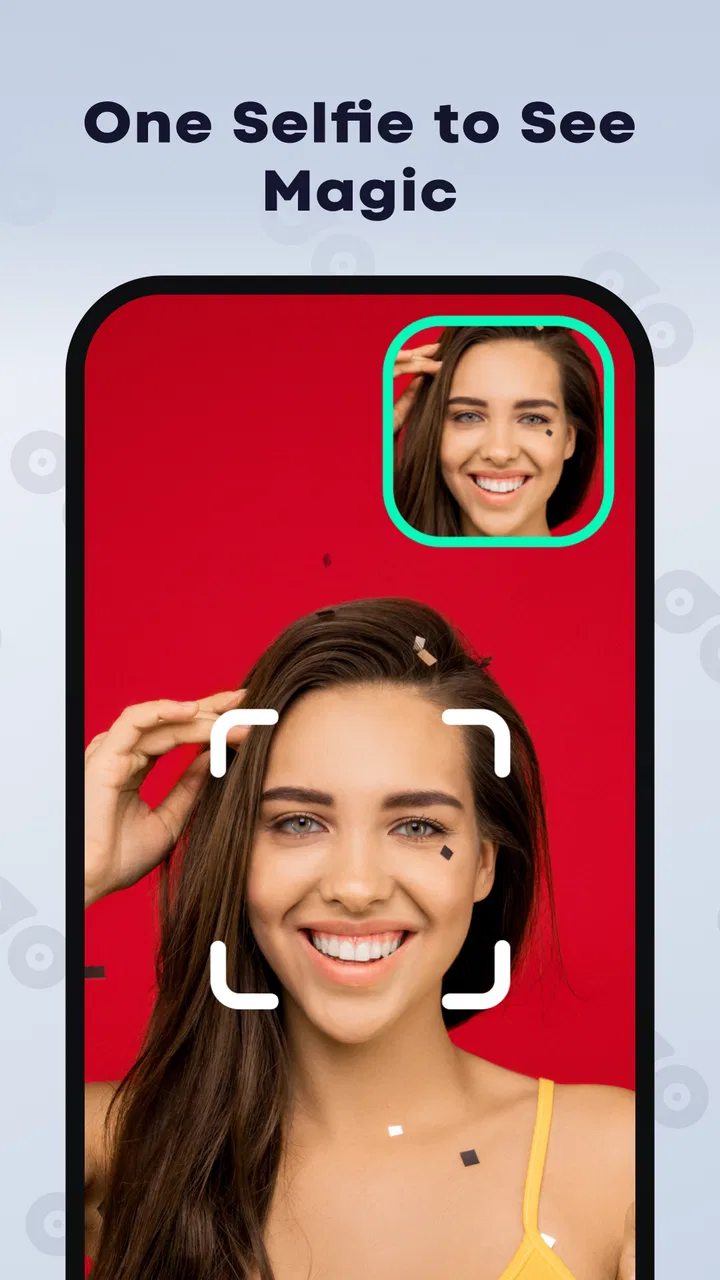
FaceMagic is an AI-powered face-swapping and media-editing app for creating short videos, GIFs, and images with your face or another person’s face. After selecting a template and uploading a clear selfie, the app processes the media automatically and blends facial features into the chosen content. Results depend heavily on image quality, lighting, facial angle, and the complexity of the template.
02Is FaceMagic: AI Videos & Photos free to download and use?
The app can generally be downloaded for free, but access to many templates, higher-quality exports, faster processing, or additional editing tools may require in-app purchases or a subscription. Before confirming a trial or payment, check the current pricing, renewal terms, and cancellation instructions shown in the app store and inside FaceMagic, since available plans and features can change over time.
03Does FaceMagic require an internet connection or powerful hardware?
FaceMagic relies on online processing for many of its AI effects, so an active internet connection is usually necessary to upload photos, generate results, and download finished videos. Processing speed can vary according to your connection, server traffic, and device performance. A modern Android or iPhone with sufficient storage, updated software, and a stable Wi-Fi connection should provide a smoother experience.
04What photos work best for FaceMagic face swaps?
For the most convincing results, use a well-lit, high-resolution photo showing one clearly visible face looking toward the camera. Avoid sunglasses, heavy shadows, extreme side angles, masks, and images with several overlapping faces. Simple backgrounds and natural expressions usually help the AI identify facial features more accurately. Even with a suitable image, some templates may produce imperfect edges or unnatural expressions.
05Are FaceMagic creations private and safe to share?
Before uploading personal photos, review FaceMagic’s current privacy policy and terms to understand how images, facial data, and generated content may be processed, stored, or deleted. Avoid uploading sensitive photographs or images of other people without their permission. AI face-swapping content should also be shared responsibly: do not use it to impersonate, deceive, harass, or create misleading or intimate material involving anyone without clear consent.
Pros
- Creates entertaining face-swap videos and photos quickly.
- Offers templates for different trends
- scenes
- and occasions.
- Simple interface makes basic edits accessible to beginners.
- Results can be shared directly to social media platforms.
- Regular content updates help keep the app feeling fresh.
Cons
- Many premium templates and features require a subscription.
- Face swaps may look unnatural with poor lighting or angles.
- Processing can take longer for high-resolution videos.
- Some results may include watermarks on the free plan.
- Uploading face photos raises privacy and data-use concerns.

FaceMagic: AI Videos & Photos
Gallery